App tab
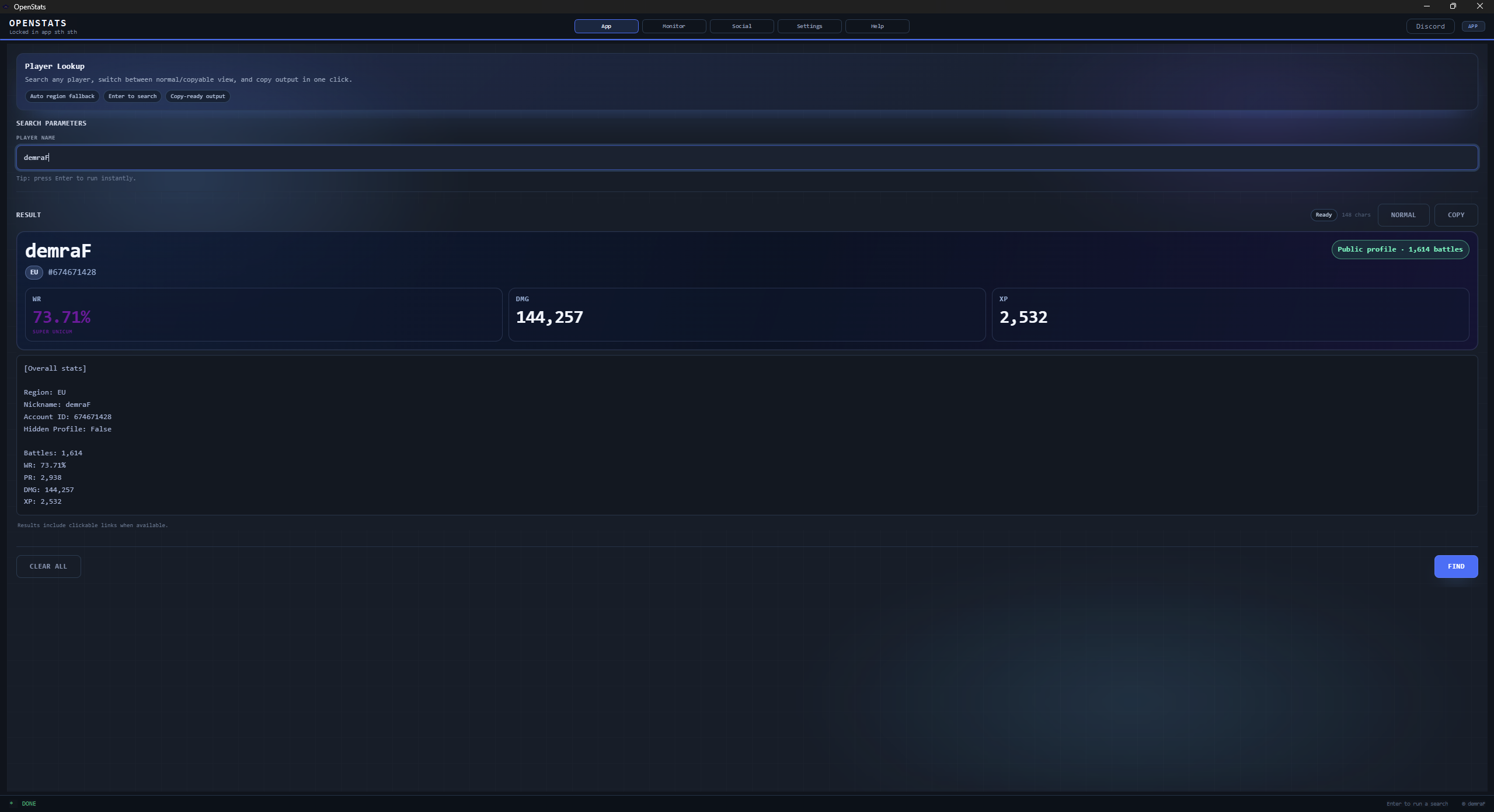
Search any player and see clean stats instantly.
Type a name, hit FIND, and get a clean result you can read quickly or copy to chat.
- Automatic region fallback.
- Clear output for quick reads.
- One-click copy for chat or Discord.
Check players quickly, see both teams before the match starts, and get useful context without leaving the game flow.
Try it right here
This page uses the same API as the desktop app. Enter a nickname, choose a region, and see the same result you would get in OpenStats.
Enter a nickname above. Auto-detects the region if you leave it on Auto.
Uses the same endpoint as the desktop client. It is rate-limited, so if you hit the limit, wait a minute and try again.
Feature walkthrough
Scroll through the core features and see what the app actually looks like in use.
 Drop
Drop screenshots/app.png here
 Drop
Drop screenshots/monitor.png here
 Drop
Drop screenshots/social.png here
 Drop
Drop screenshots/settings.png here
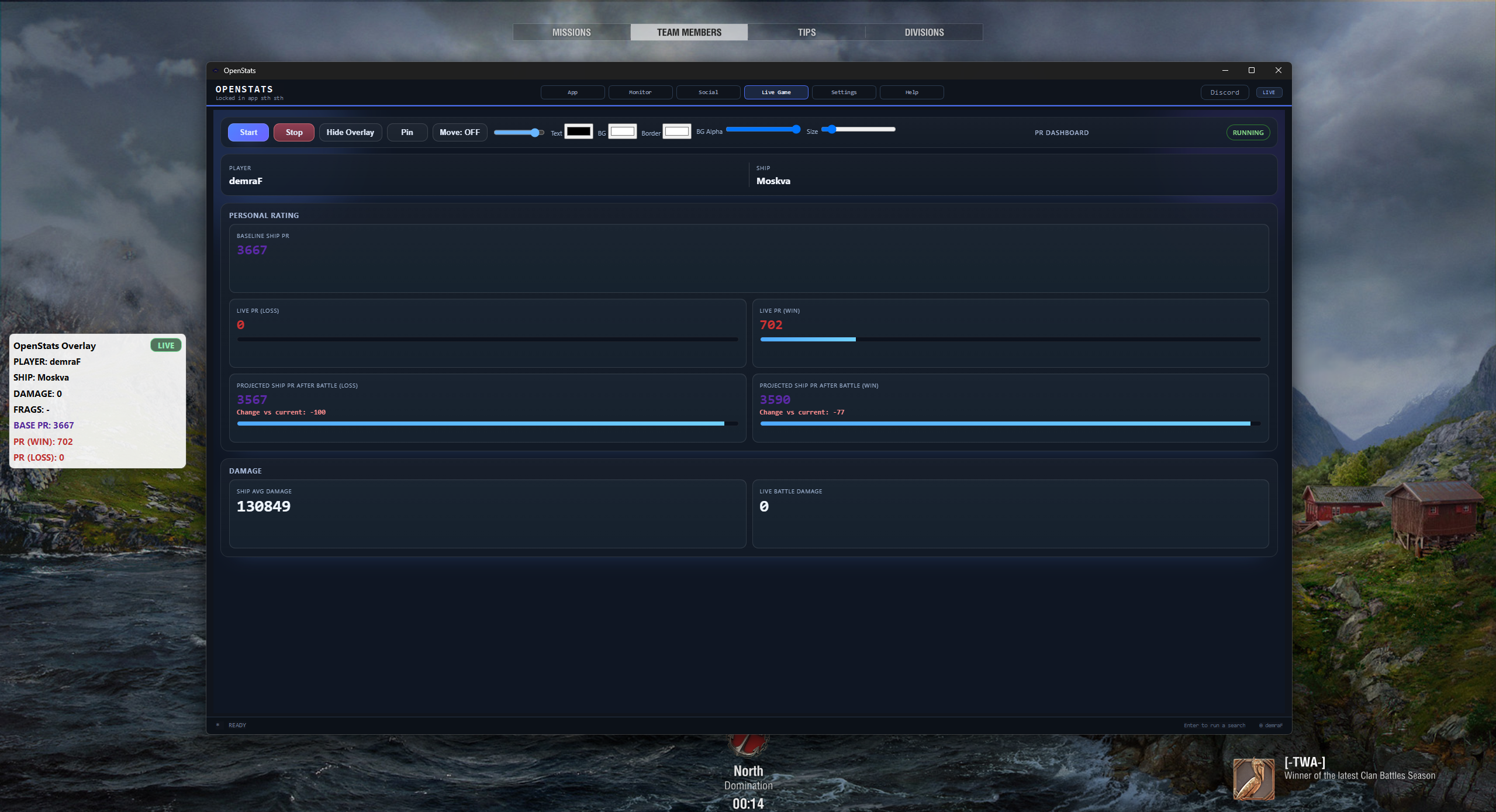 Drop
Drop screenshots/live_1.png here
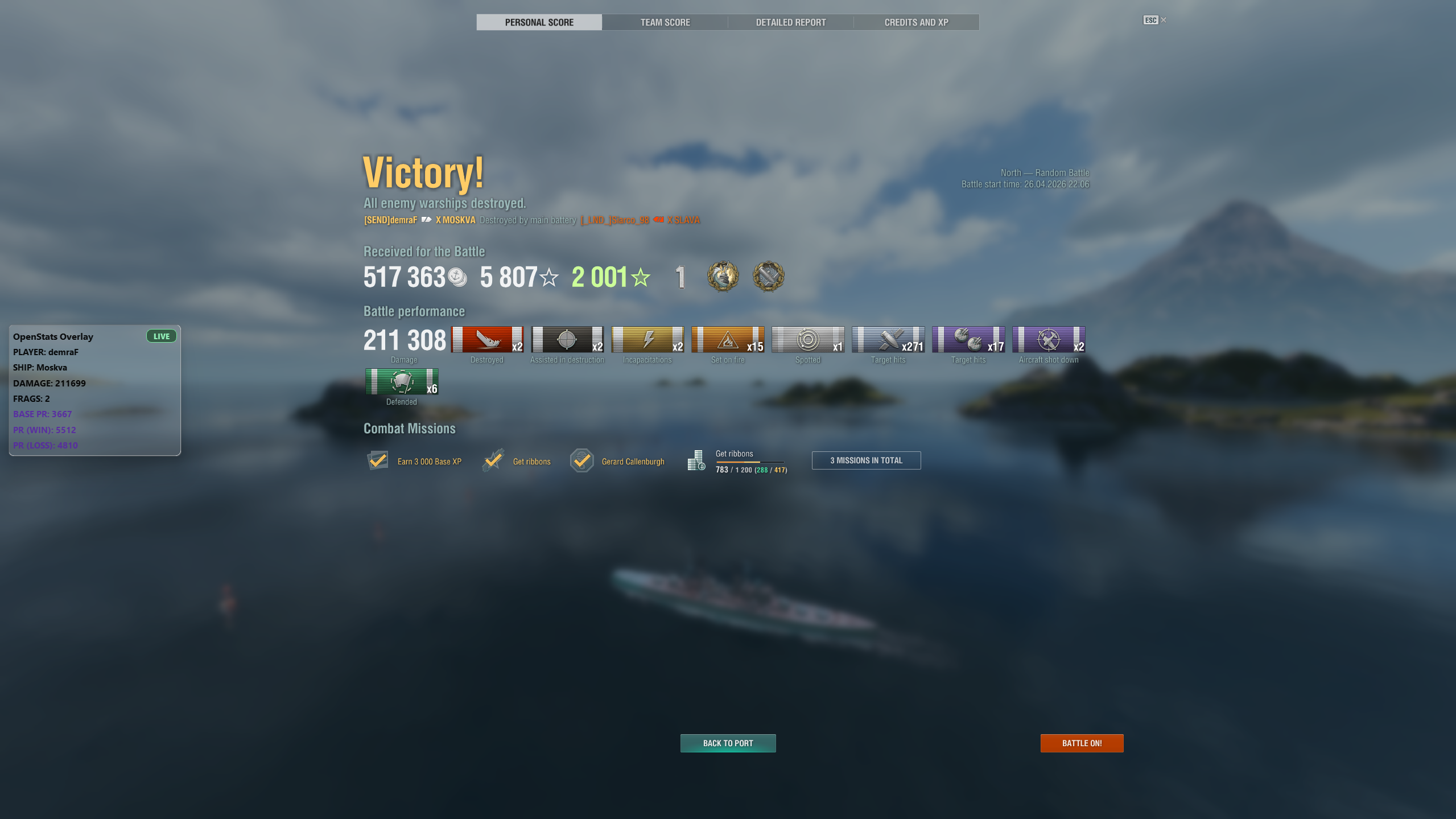 Drop
Drop screenshots/live_2.png here
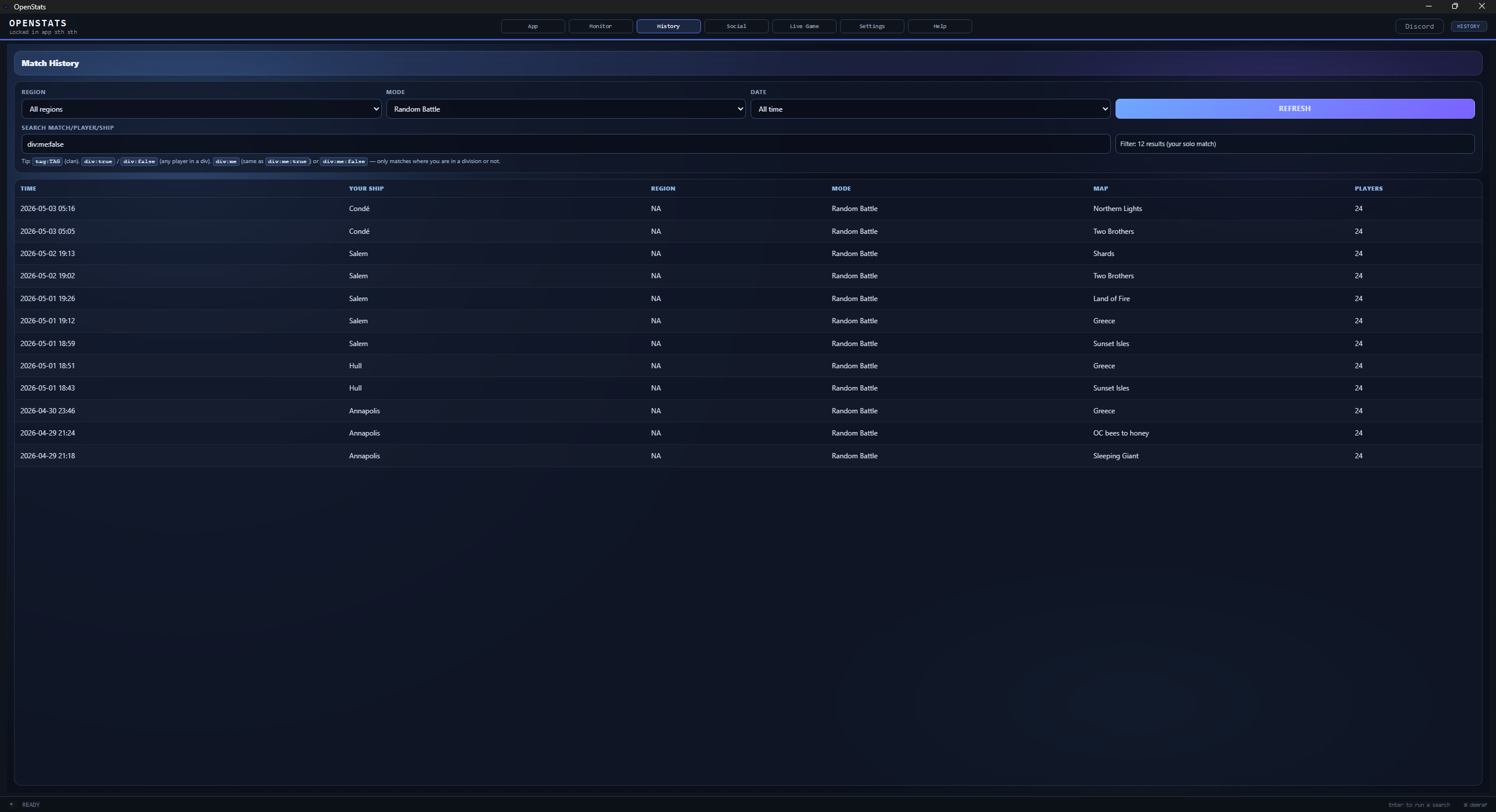 Drop
Drop screenshots/history.png here
App tab
Type a name, hit FIND, and get a clean result you can read quickly or copy to chat.
Monitor tab
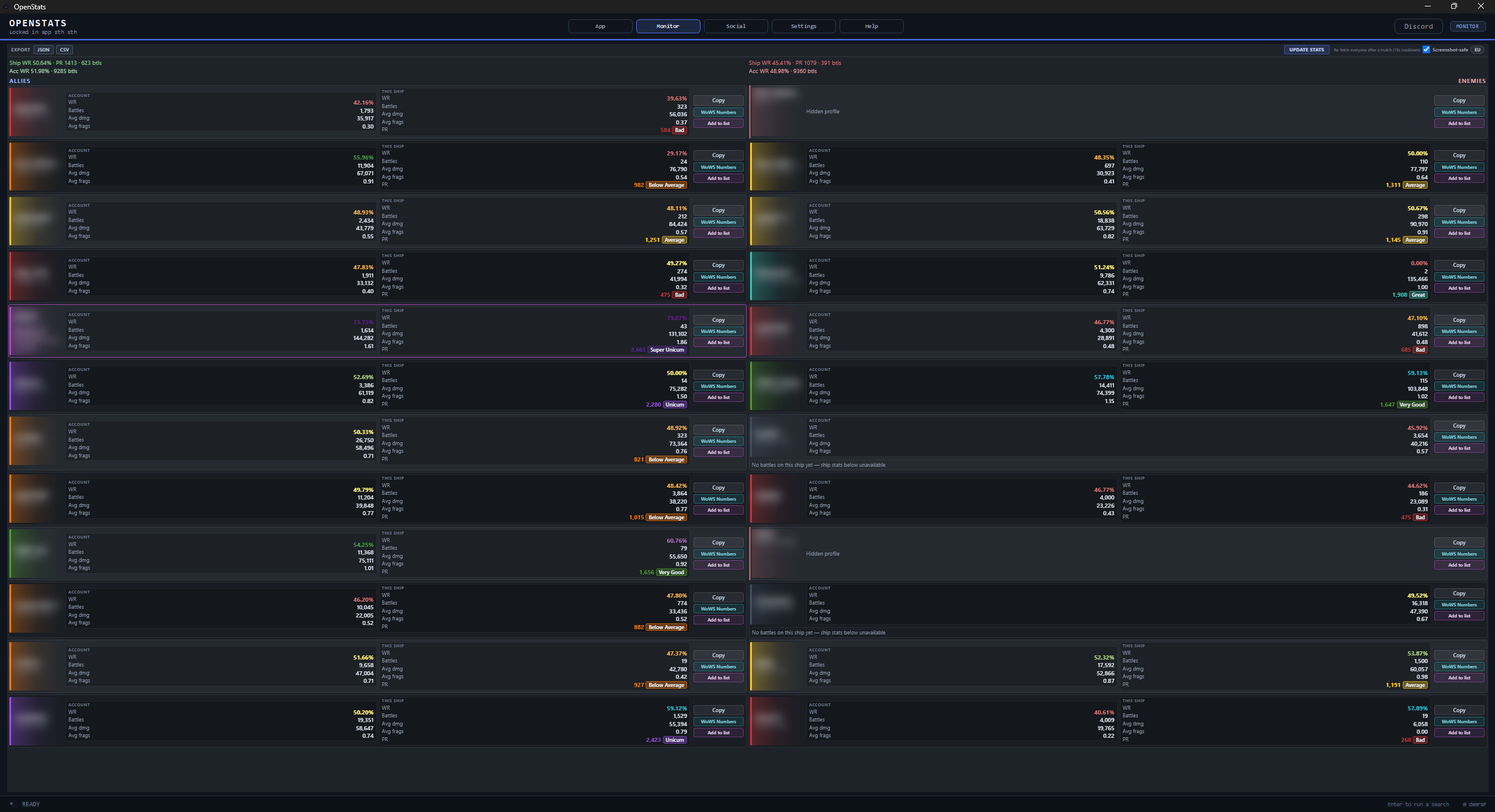
OpenStats reads the current match and shows allies and enemies in one view, so you can assess the lobby at a glance.
Social lists
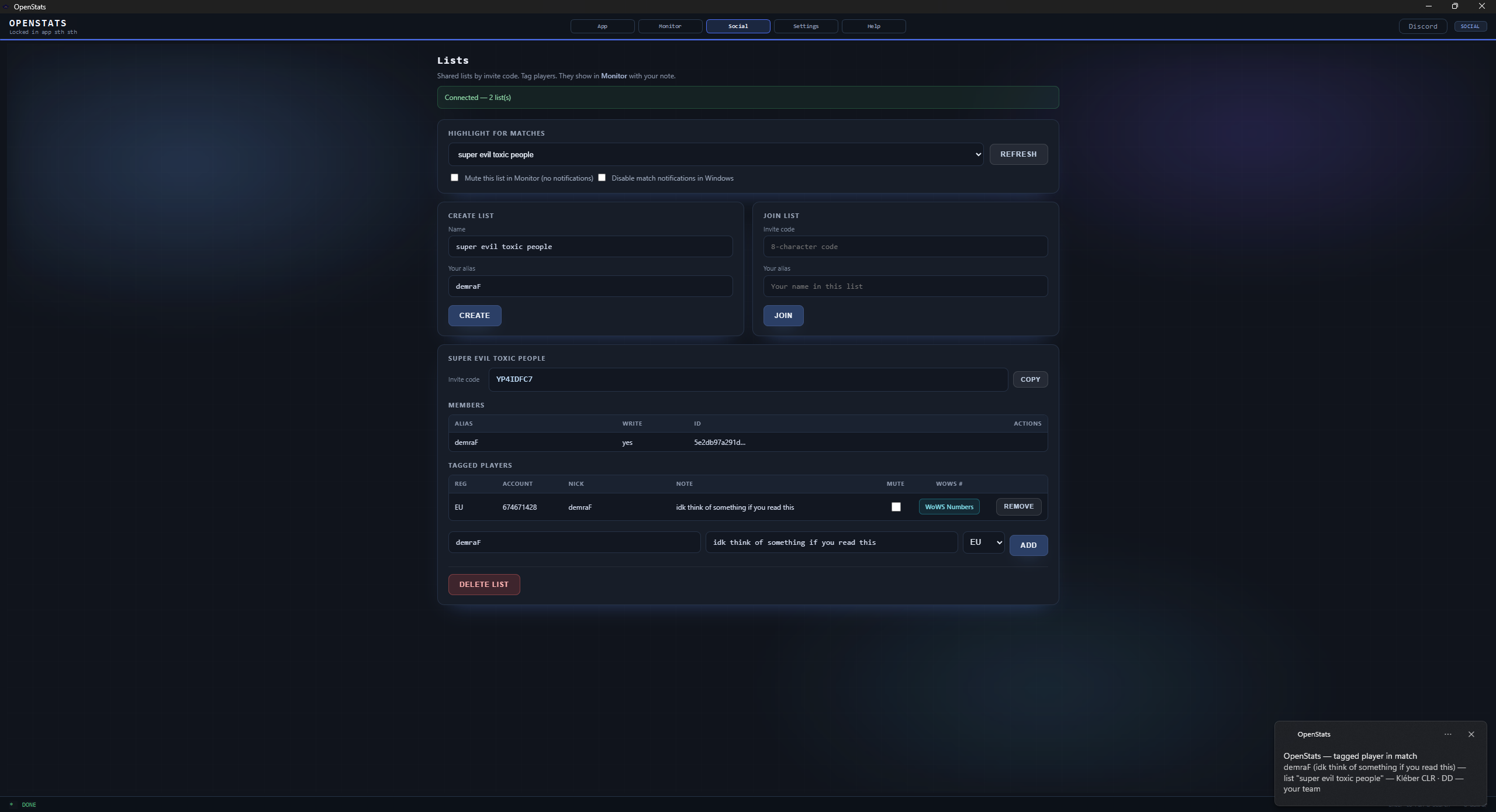
Create or join shared lists, add notes, and get highlights when tagged players appear in your match.
Settings
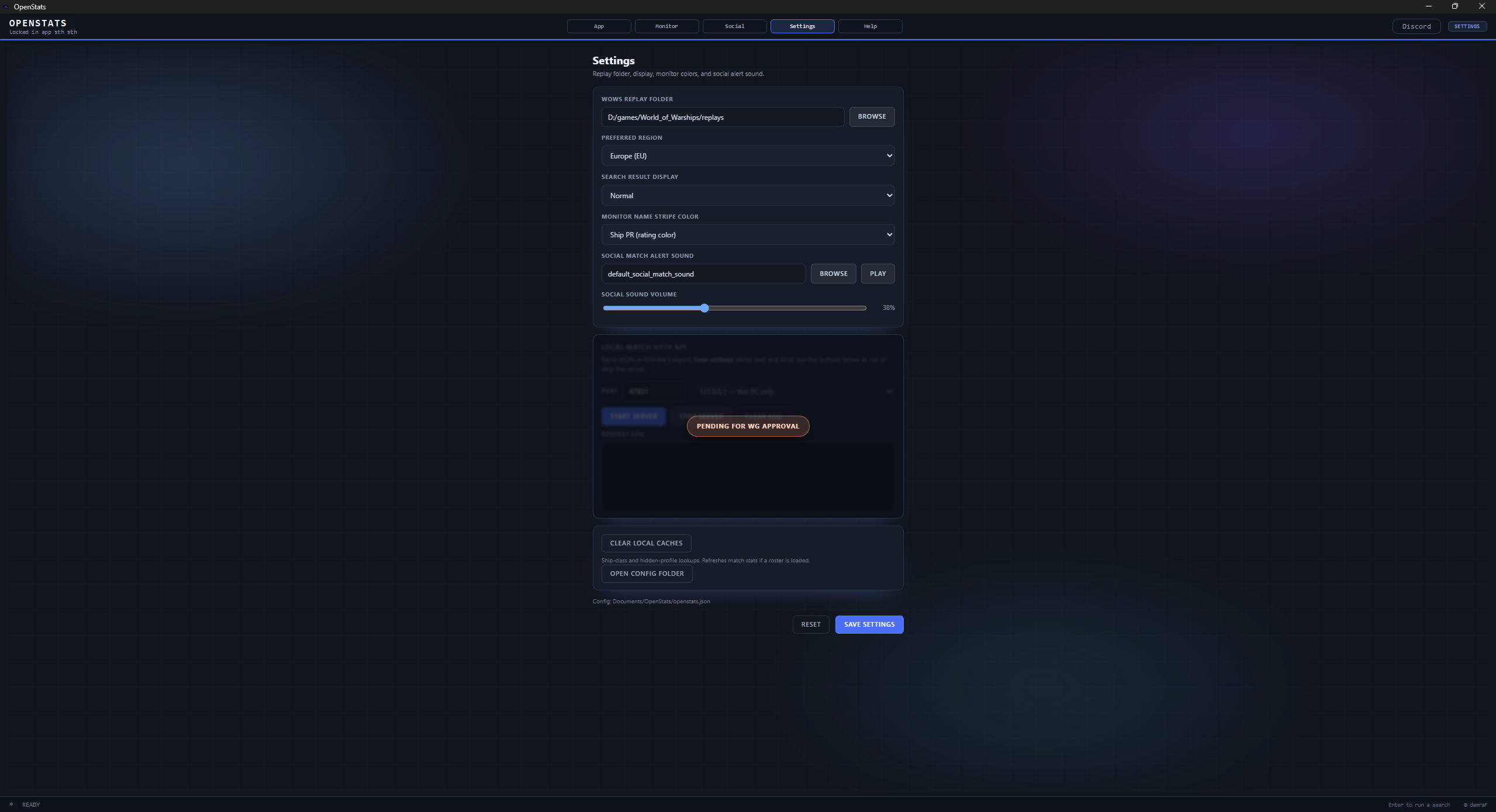
Set your replay folder, pick your region, and you're ready. OpenStats keeps your settings for next time.
Live Game tab
OpenStats reads the live replay stream and updates your battle impact while the match is still in progress.
Desktop overlay
Keep key stats visible without tabbing out, with style controls and persistent position/size.
History tab
OpenStats keeps a running history so you can revisit prior matches, compare sessions, and spot player patterns.
Everything in one place
Start with the basics, then enable more as you need it.
Fast name search with clean, copyable output.
Ally vs enemy overview driven by your replay folder.
Shared tagging, notes, and in-match highlights.
Replay path, region, display mode, and quality-of-life options.
Session and match history to watch out for reoccuring players.
FAQ
Not really. It works alongside existing monitor workflows and adds better copy/share, social lists, and integrations.
Yes. Screenshot-safe mode blurs player names, and Social lists help you flag known accounts quickly.
Yes. Install it, set the replay folder once, and you can use App and Monitor right away.
Core account data still loads. If chart data is temporarily unavailable, OpenStats shows a notice and keeps the rest usable.
No. Most users only set replay folder and region. Everything else can stay on defaults until you want to tweak it.
Download the client, set your replay folder, and you're good to go.